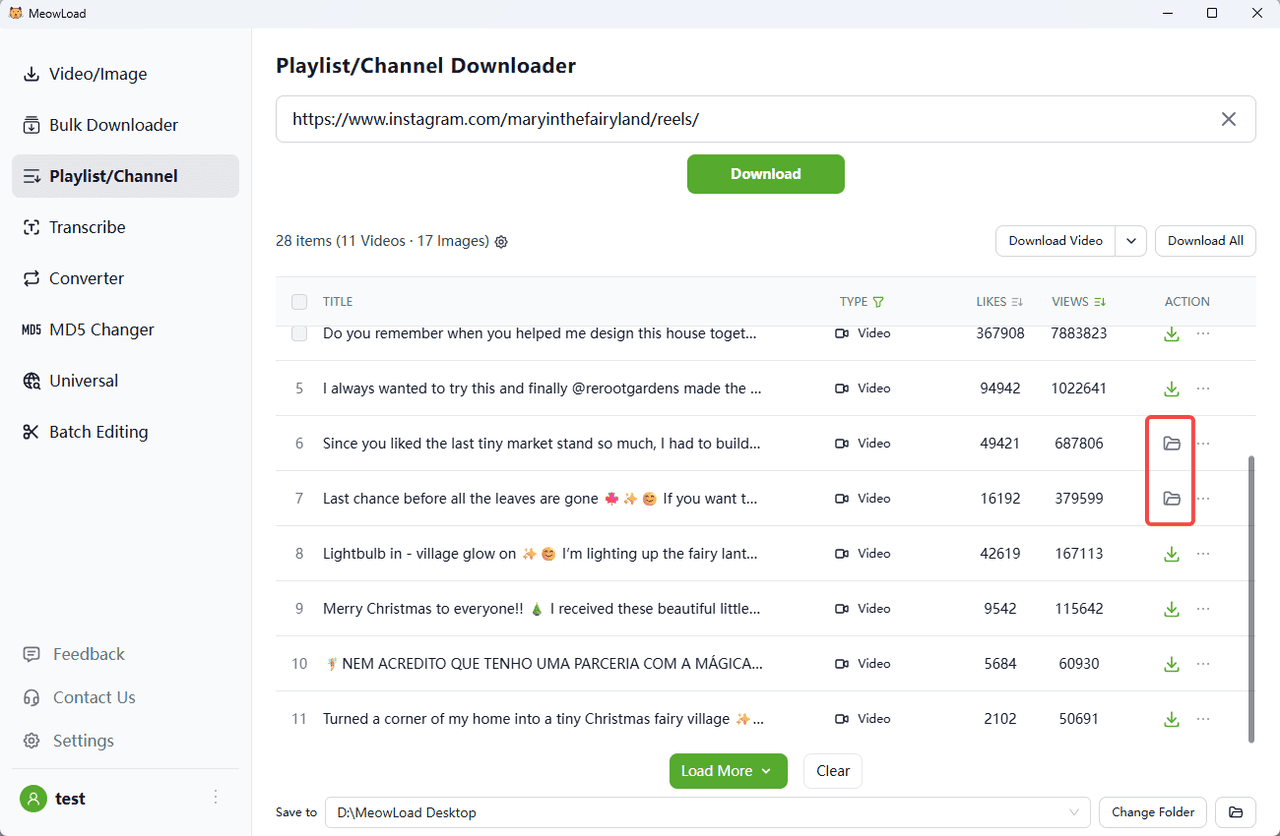
Instagram Reels are short TikTok-like videos usually enriched with background audio and various creative effects. Reels can be shared with followers on Feed and with the global Instagram community on the Explore page. If you want to back up all your Reels at once or download Instagram Reels from somebody else’s public account, MeowLoad is the best tool for the task. Follow the easy steps below to save Reels videos to your computer.
Step 1:Launch MeowLoad. It's available for macOS and Windows.
Step 2:Copy the link to the Instagram Reels you want to download.
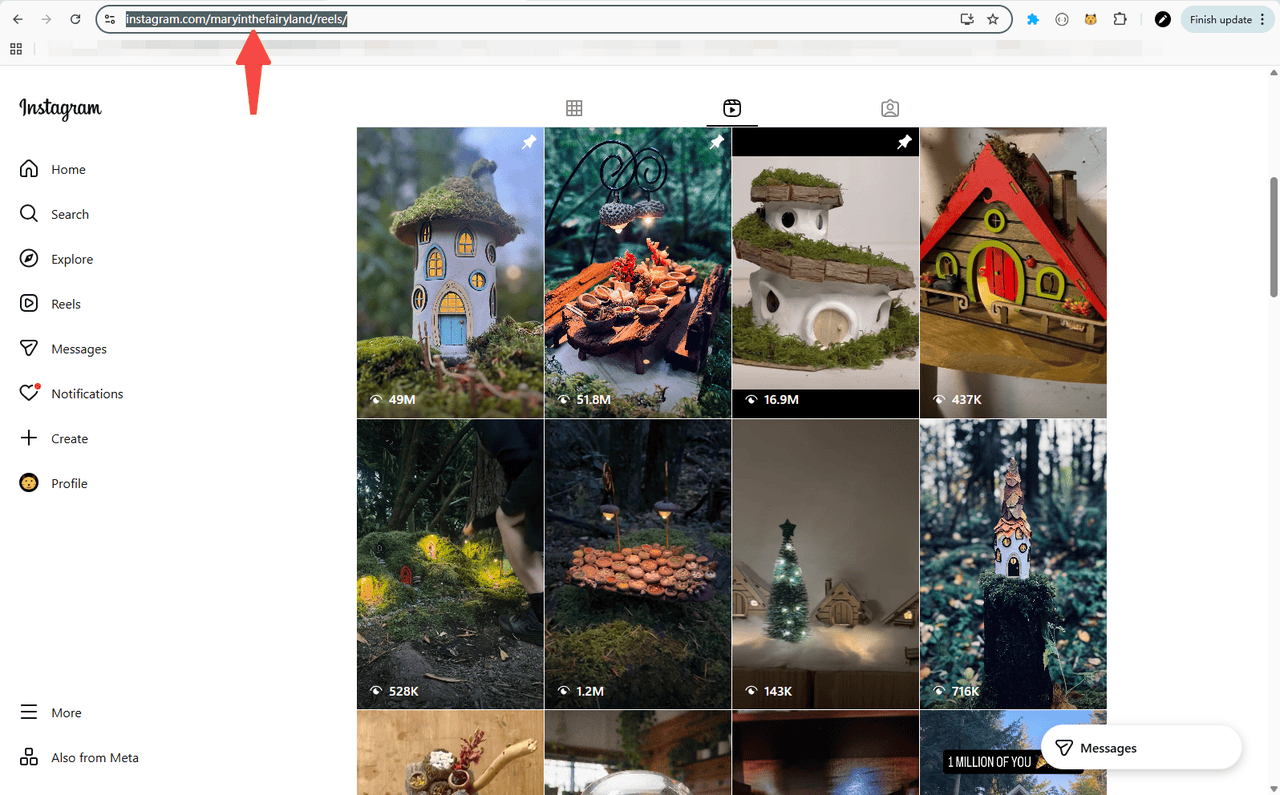
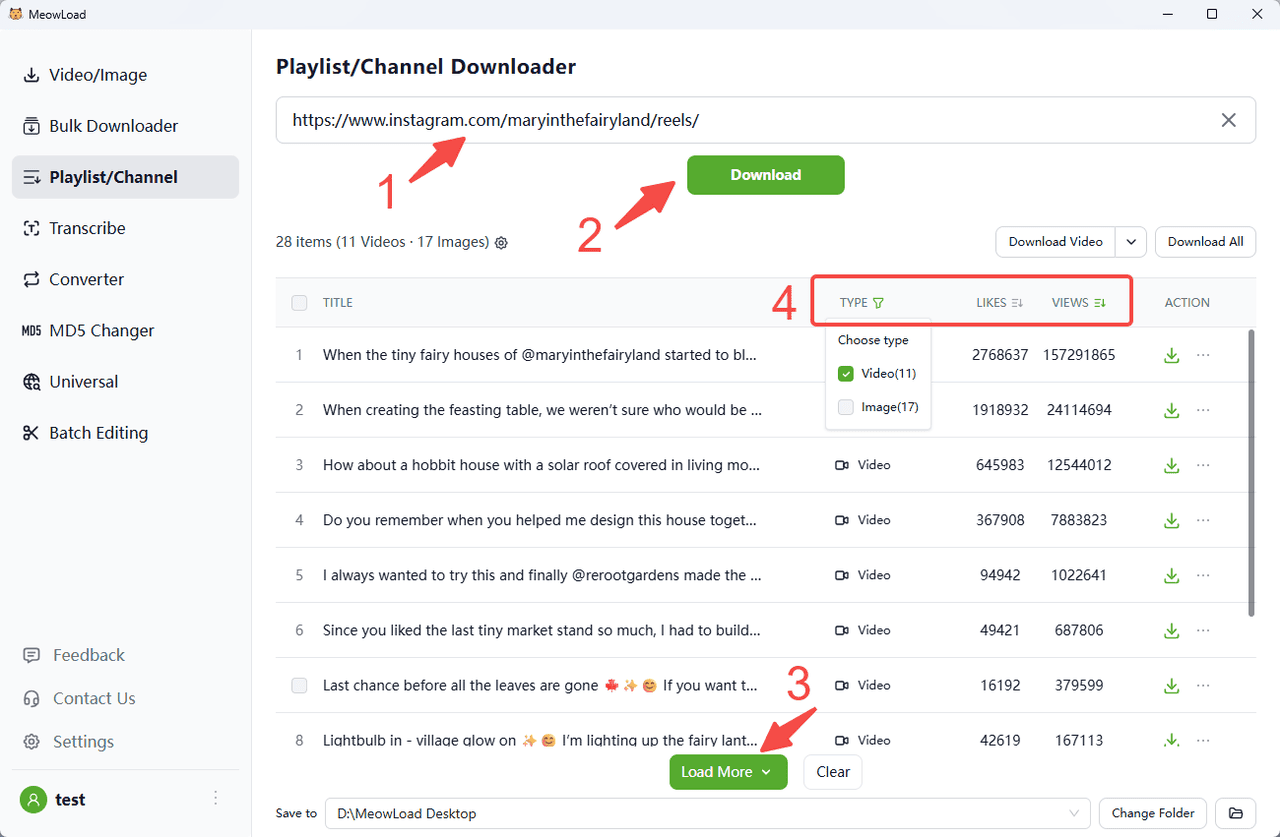
Step 3:Paste the reels link and click the Download button. You can preview downloadable resources.
Step 4:You can click the filter to select the types you need and sort them in descending or ascending order by views or likes.
Step 5:Select all or check the items you need. Click Download Selected button.
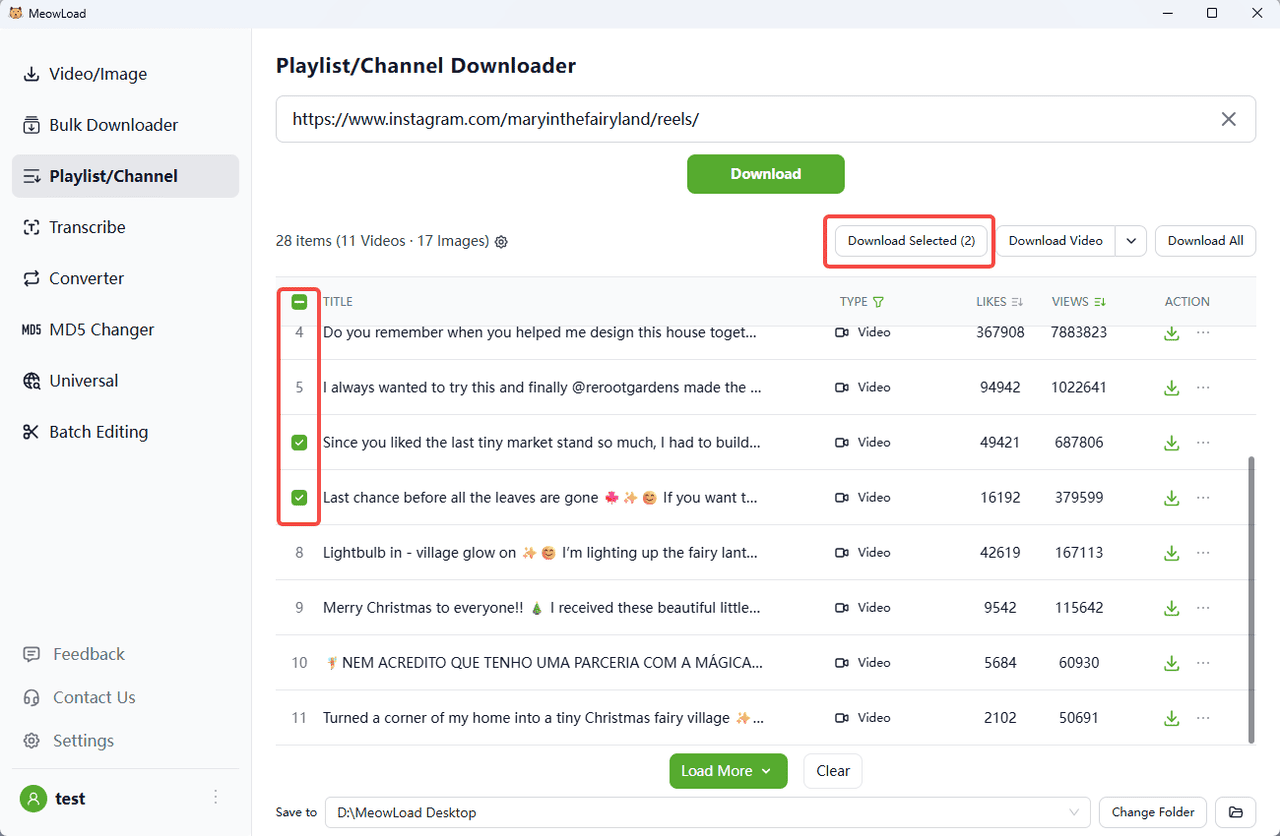
Step 6:All set!
Once the download is complete, click the folder icon to check out your files.